
WORDPRESS BANNER CREATOR
Keryx
Banner creator
$29 /year
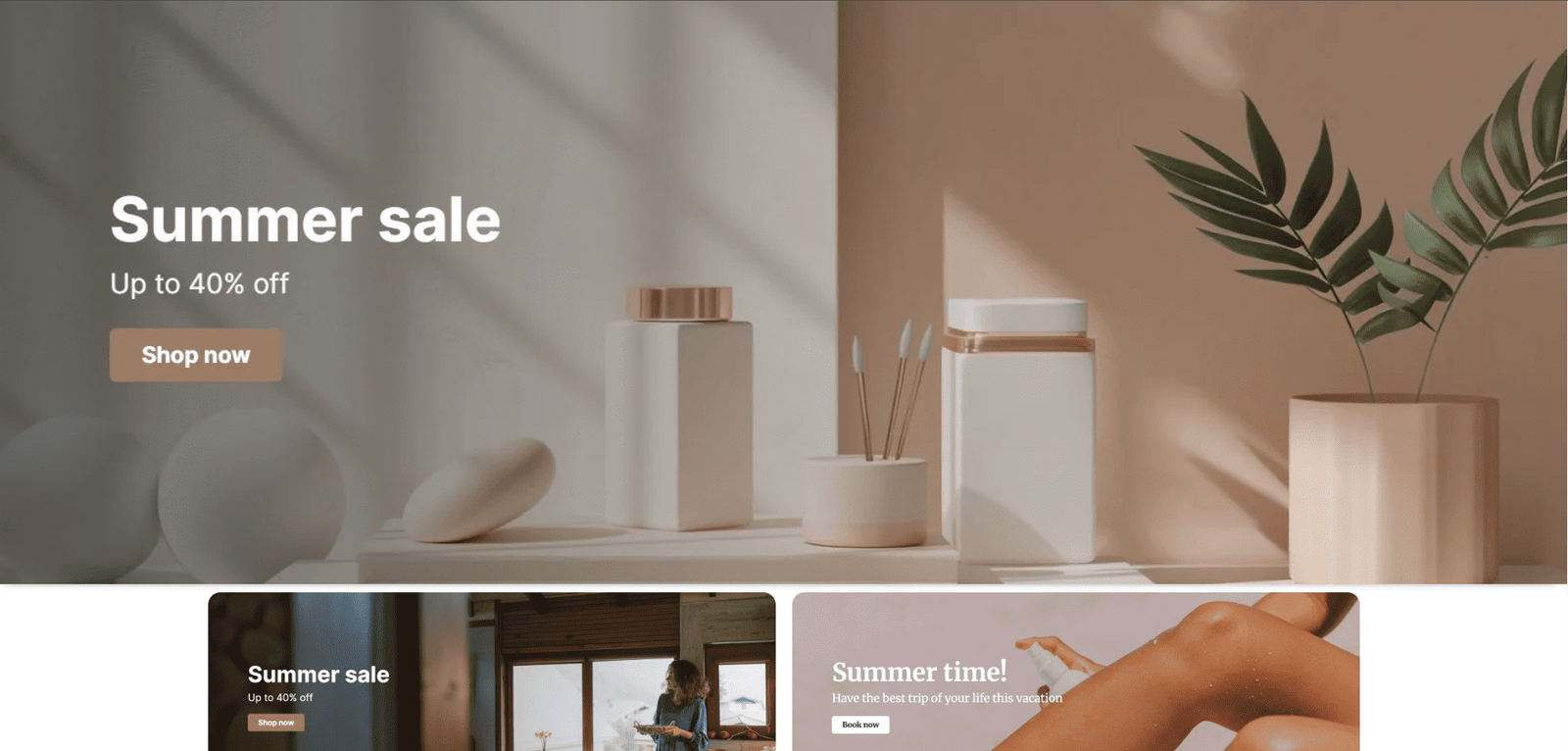
Create professional banners in 1 minute directly in WordPress
Create banners faster. Keep your entire workflow in WP dashboard.
Search images from Pexels and Pixabay, customize them with text, overlays and calls to action, and export the finished banner directly to your WordPress Media Library.
No external design software. No downloading and re-uploading images. Everything happens inside WordPress.
Pexels + Pixabay
Search both image libraries directly from WordPress.
Visual Banner Editor
Create and preview your banner before exporting it.
Flexible Banner Sizes
Use predefined formats or create your own dimensions.
Precise Image Positioning
Adjust the image horizontally and vertically for the right composition.
Save to Media Library
Export your finished banner as JPG directly to WordPress.
TECHNICAL SPECIFICATIONS
Everything you need to create banners inside WordPress

Image Sources
Pexels + Pixabay
Image Position
Horizontal + vertical adjustment
Typography
Google Fonts + PRO effects
Destination
WordPress Media Library
Search
Individual or combined
Overlays
Uniform, directional & radial
Preview
Real-time visual editor
Responsive Admin
For WordPress workflows
Canvas Sizes
Preset + custom dimensions
Text Elements
Title, subtitle & CTA
Export
JPG
Languages
English / Spanish ready
01 · IMAGE SEARCH
Find the right image without leaving WordPress
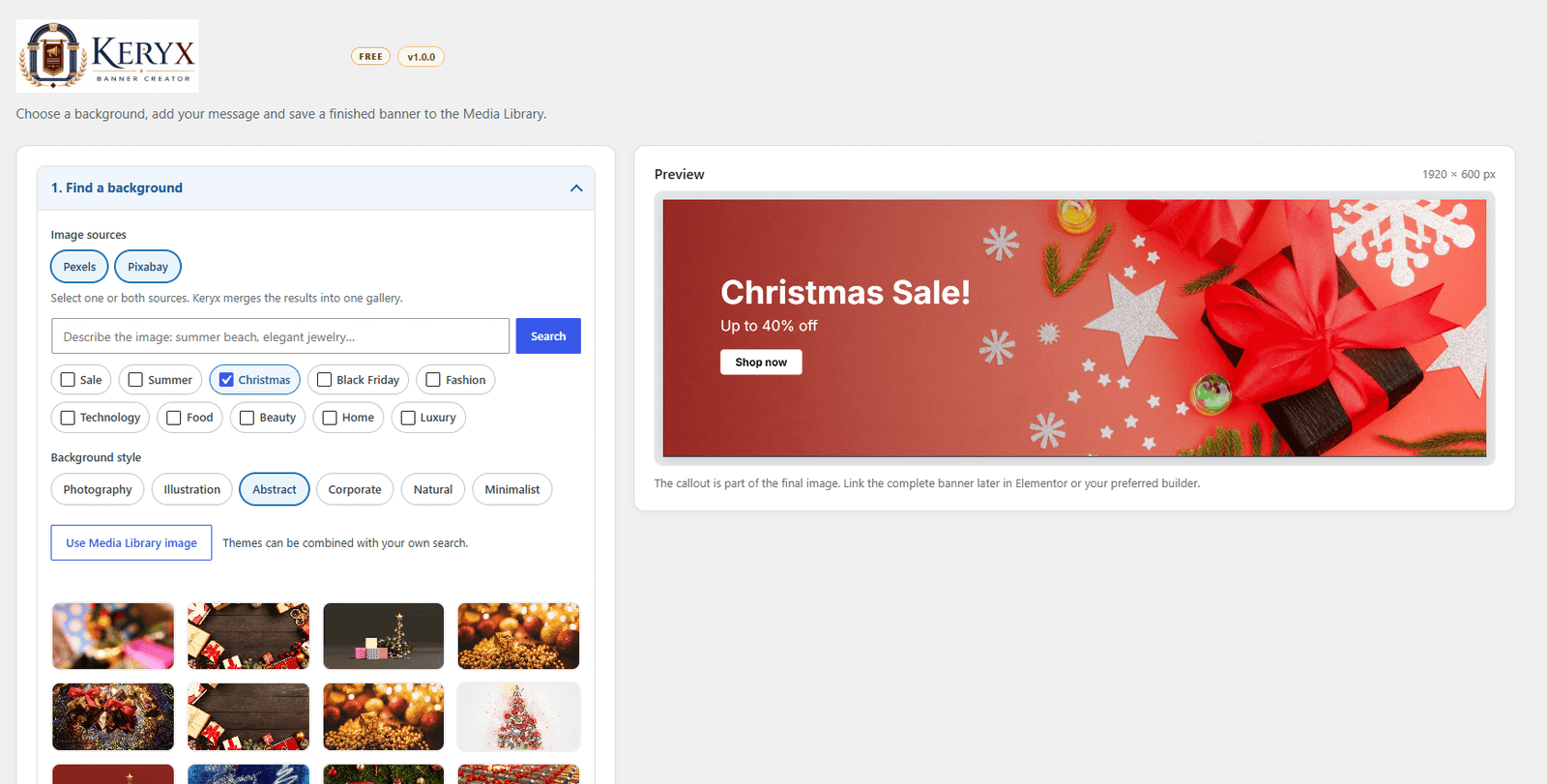
Search Pexels, Pixabay or both providers at the same time directly from the Keryx editor.
Browse results, refine your search and select the image you want to use without downloading files manually.
- Pexels integration
- Pixabay integration
- Combined image search
- Search style and theme options
- Browse multiple result pages
- Built-in API setup guidance
SEARCH. SELECT. CREATE.
02 · BANNER COMPOSITION
Build the banner around your content
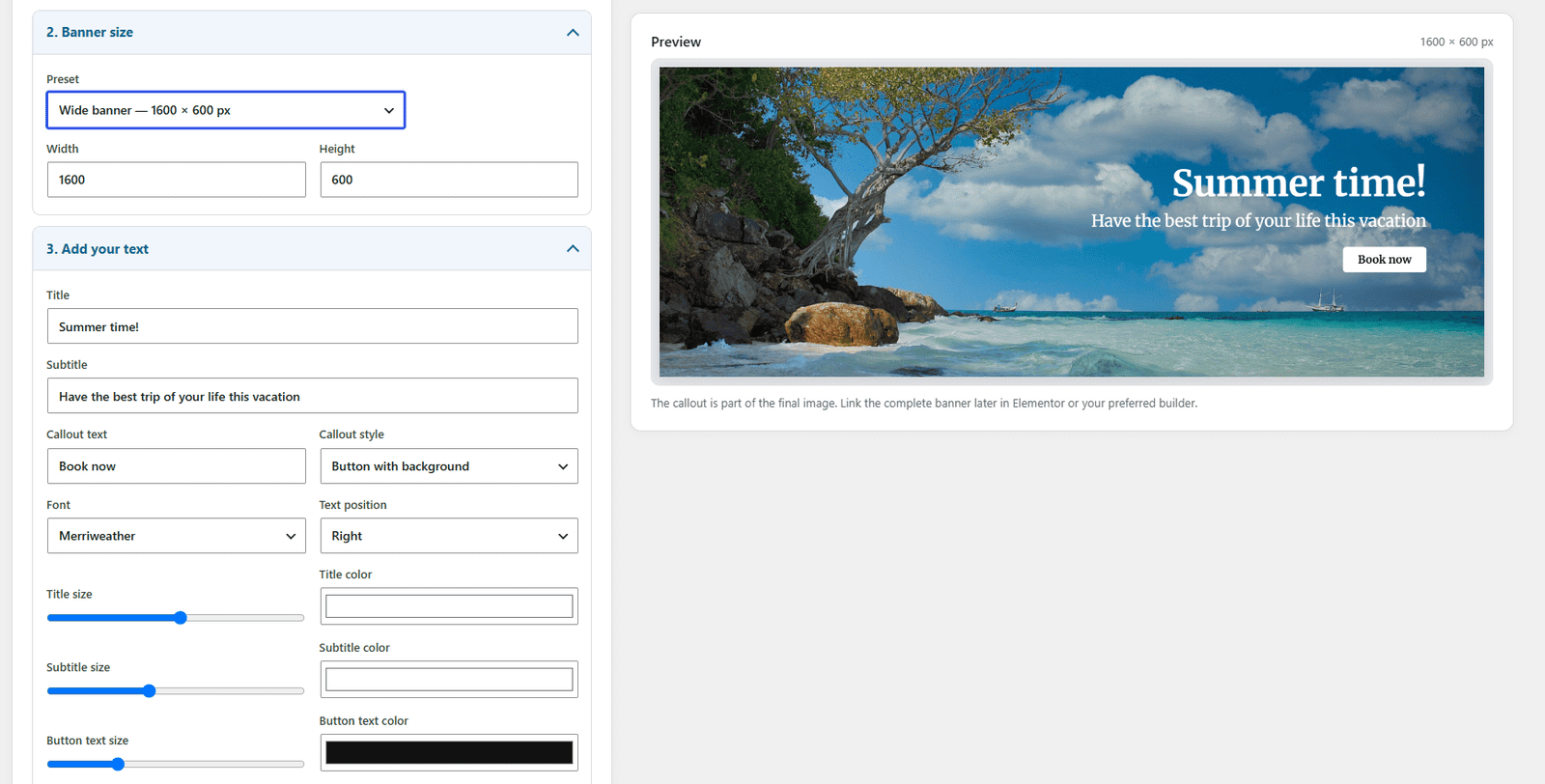
Choose the canvas size, position your image and control how it appears inside the final composition.
Keryx gives you the tools needed to adapt a single image to different banner layouts without editing it externally.
- Predefined banner sizes
- Custom width and height
- Horizontal image positioning
- Vertical image positioning
- Live banner preview
- Fast visual adjustments
YOUR IMAGE. YOUR FORMAT.
03 · OVERLAYS & VISUAL STYLE
Make text readable without hiding the image
Add overlays directly over the selected image and control how the background interacts with your content.
Use simple darkening, directional gradients or radial overlays to create clearer and more professional compositions.
- Uniform image darkening
- Directional overlays
- Radial overlays
- Adjustable overlay intensity
- Visual style presets
- Real-time preview
BETTER CONTRAST. CLEARER MESSAGE.
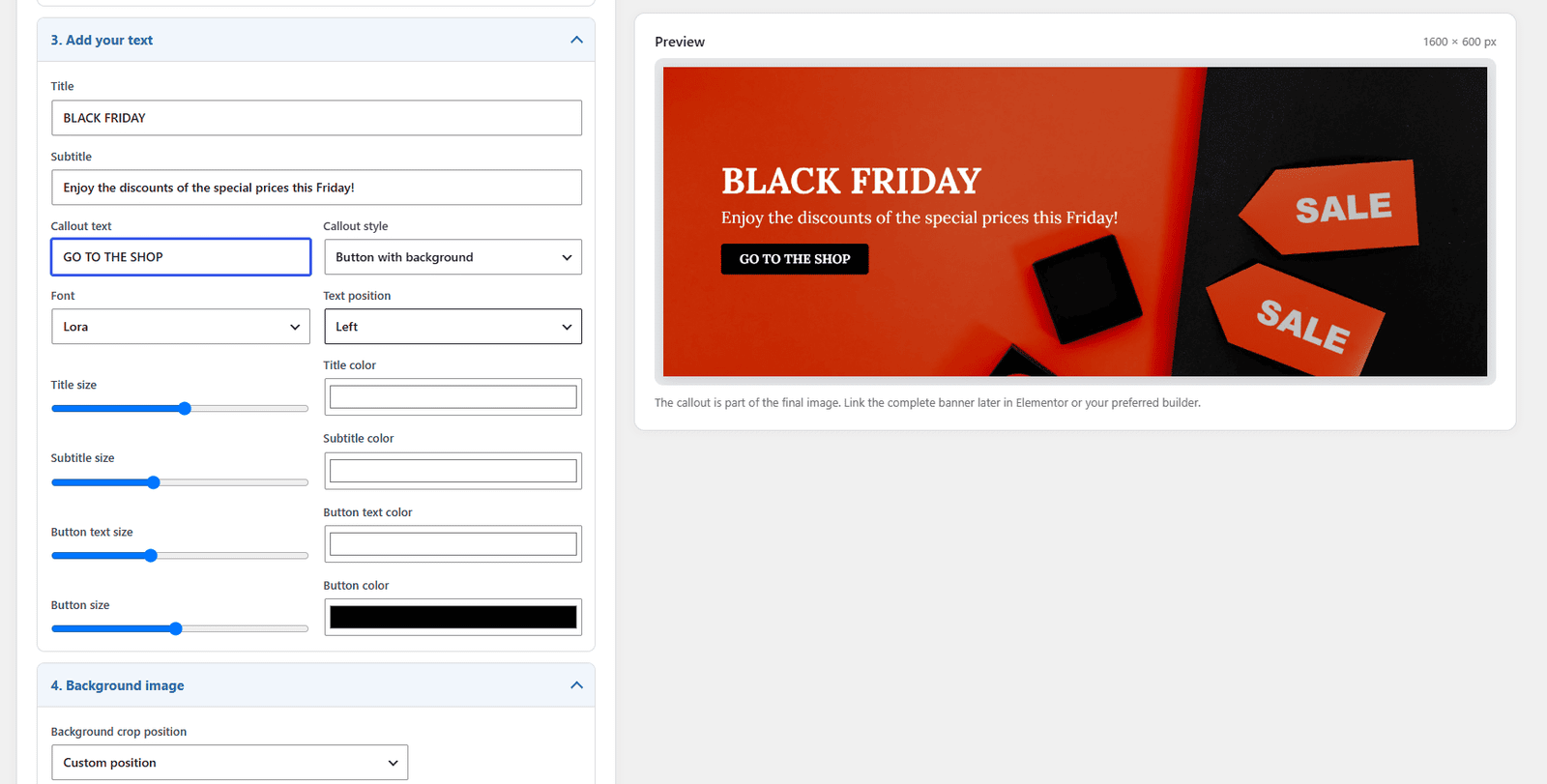
04 · TEXT & CALL TO ACTION
Add the message your banner needs
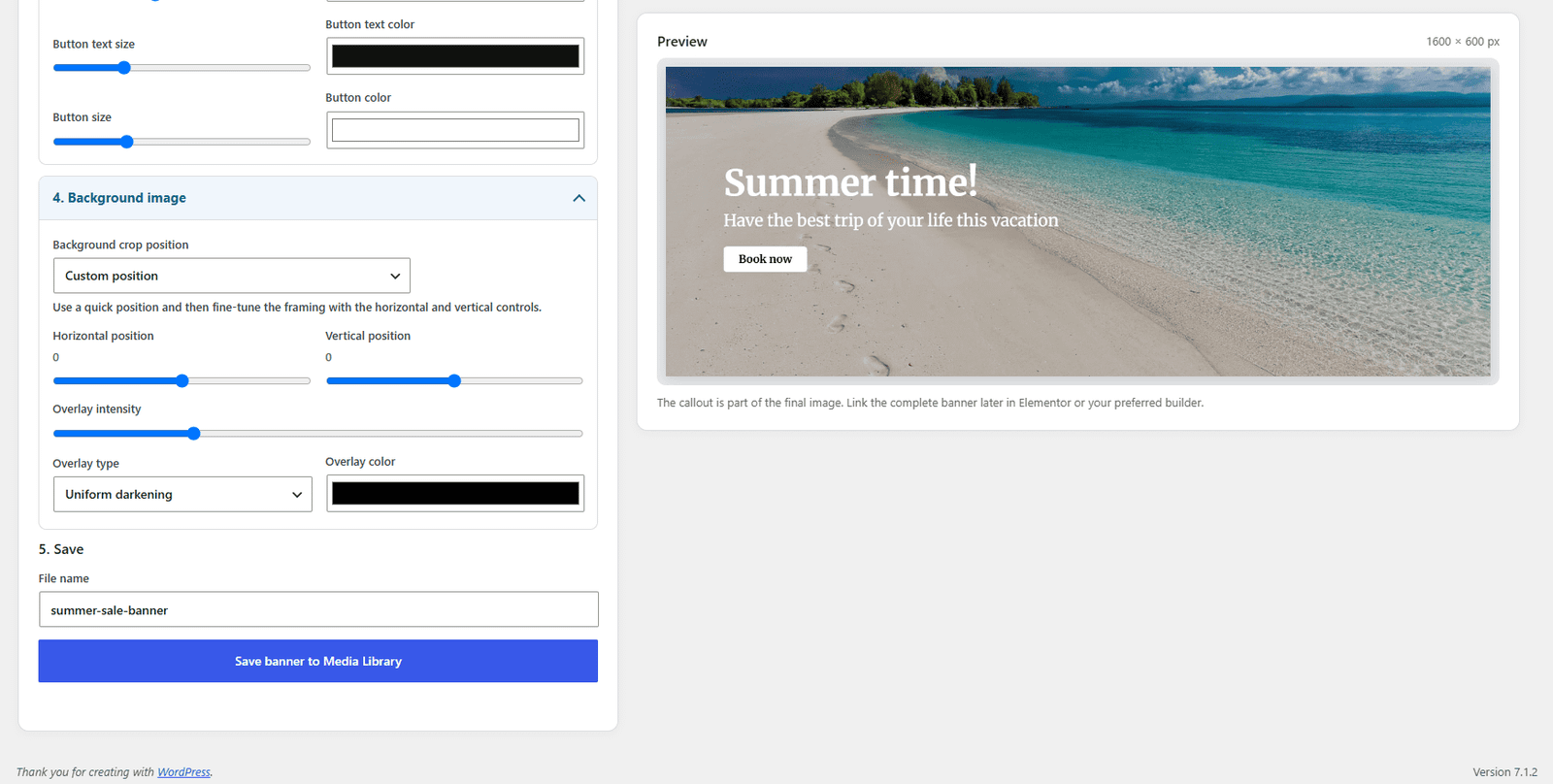
Create the essential content directly in the banner editor: headline, supporting text and promotional callouts or calls to action.
Each element can be adjusted independently.
- Title & Subtitle
- Callout / CTA
- Standard Google Fonts
- Independent font sizes
- Independent text colors
- Text alignment controls
- Button and text-based CTA styles
YOUR IMAGE. YOUR FORMAT.
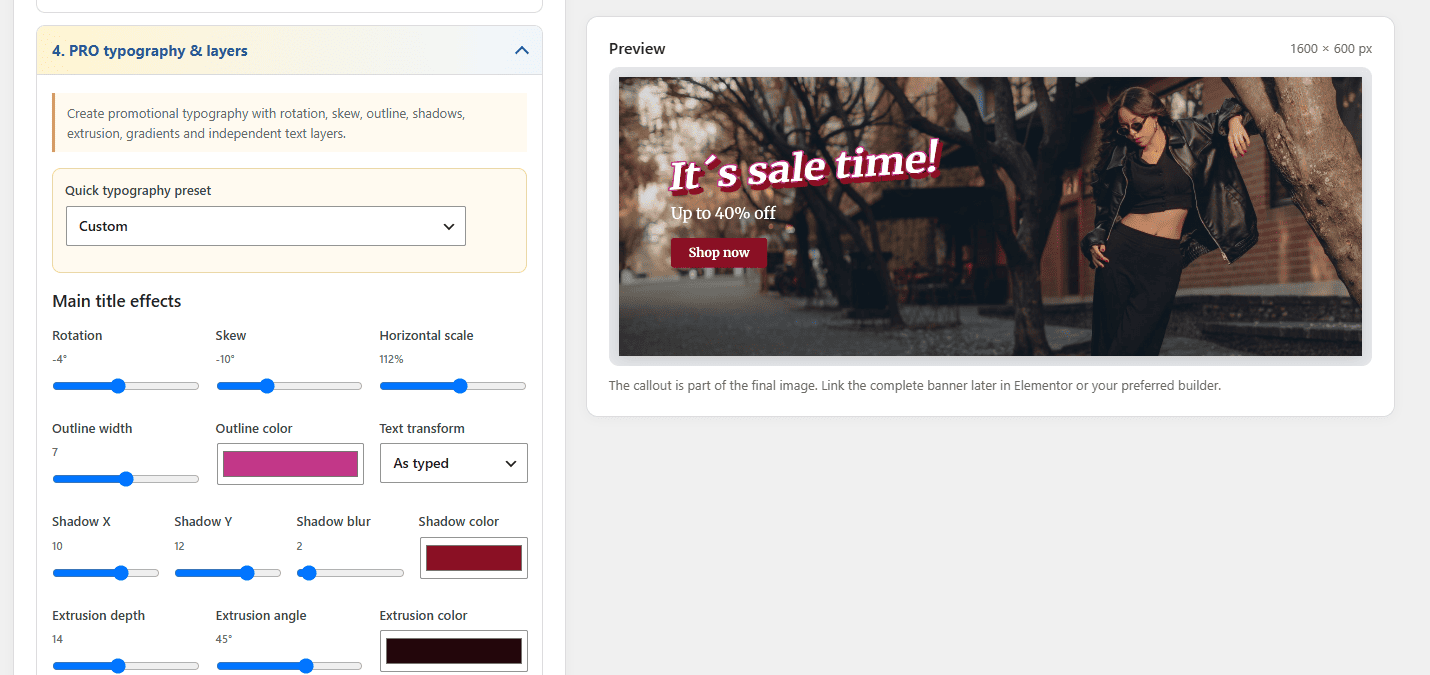
05 · ADVANCED TYPOGRAPHY · PRO
Go beyond basic banner text
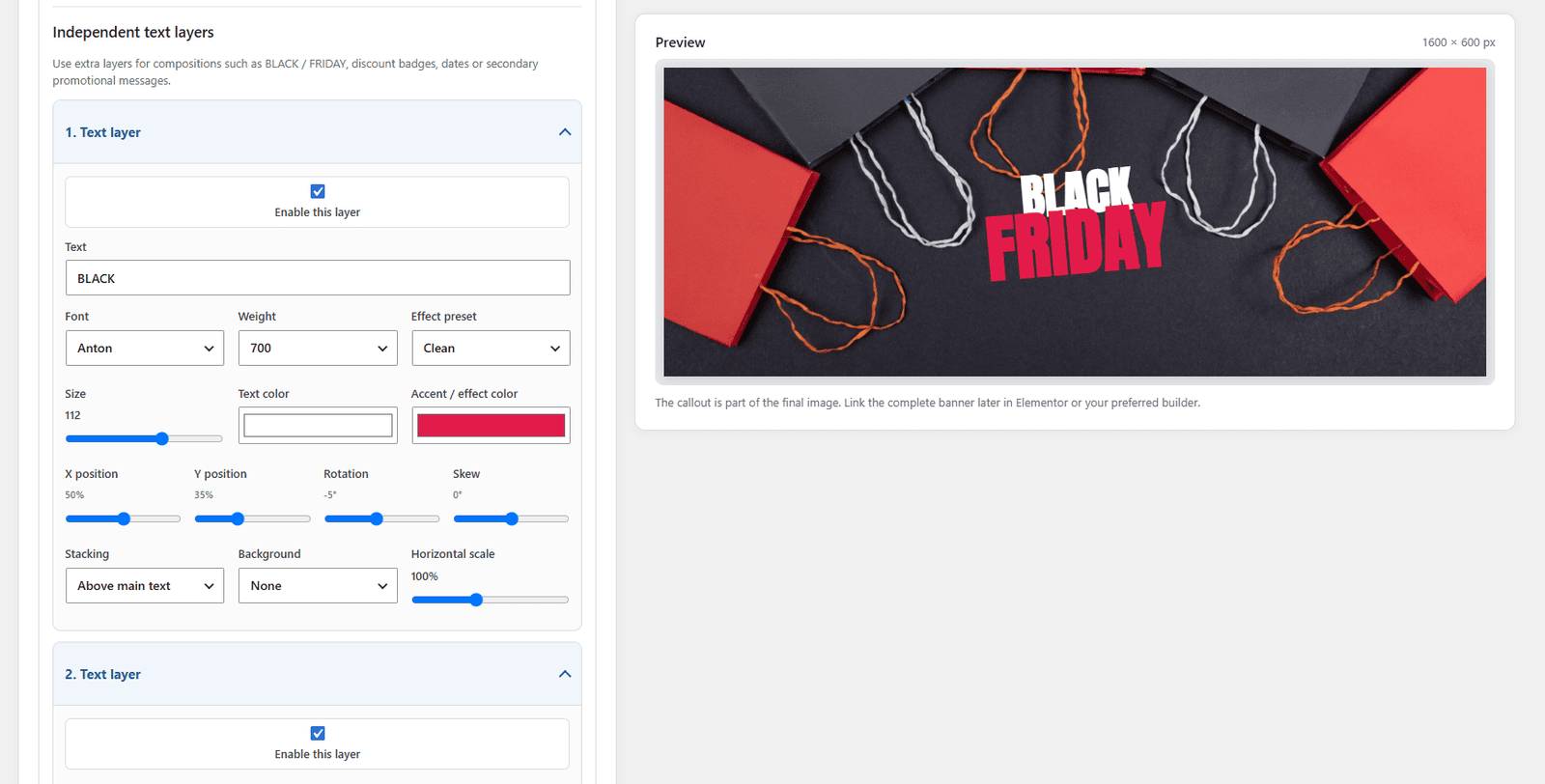
Keryx PRO expands the editor with more creative typography tools for promotional banners, campaigns and visual compositions that need stronger impact.
- Multiple independent text layers
- Expanded promotional font library
- Layer stacking
- Rotation and skew controls
- Text outlines
- Advanced shadows
- Gradient text
- Neon effects
- 3D / extrusion effects
- Label and pill backgrounds
- Reusable typography presets
MORE LAYERS. MORE STYLE. MORE CONTROL.
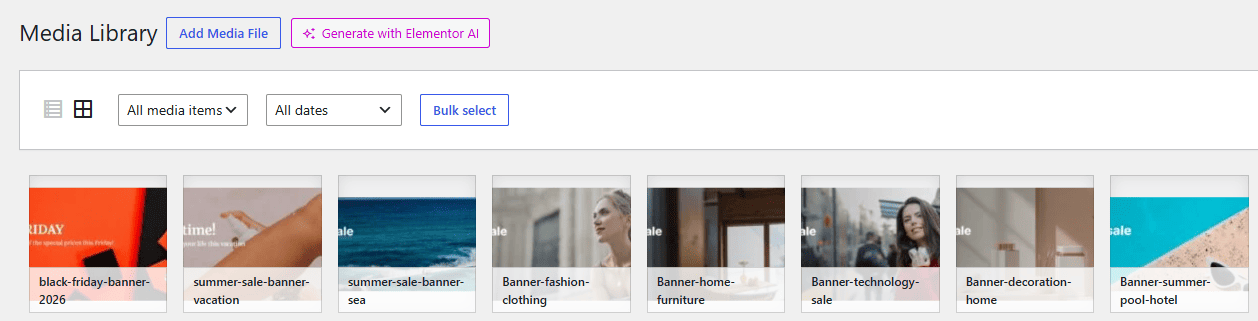
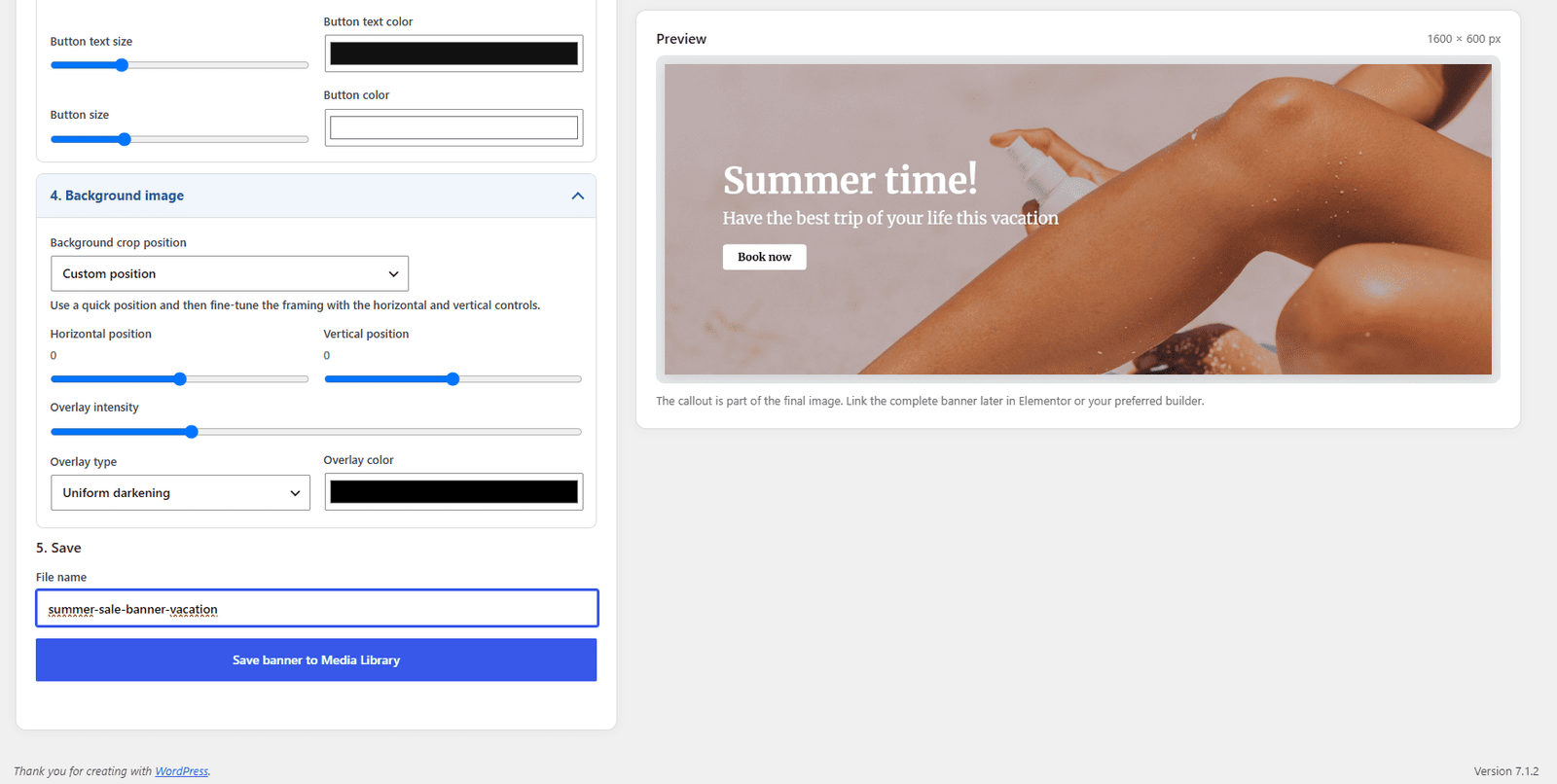
06 · EXPORT TO WORDPRESS
Finish your banner and keep working
Preview the final result and export it directly as a JPG to your WordPress Media Library.
The banner is immediately available for Elementor, pages, posts, WooCommerce products or any other WordPress content.
- Final visual preview
- JPG export
- Direct Media Library integration
- No manual downloads
- Ready to use across WordPress
CREATE ONCE. USE ANYWHERE.
FREE vs PRO
Start creating for free. Unlock advanced typography with PRO.
Keryx Free already includes the complete core banner workflow: find an image, compose the banner, add your message and save the finished design to WordPress.
Keryx PRO is designed for users who need more creative control over text, layers and promotional effects.
FREE: Complete banner creation workflow
PRO: Advanced typography, layers and promotional effects
| Feature | Free | ♛ Pro |
|---|---|---|
| Image Search | ||
| Pexels image search | ✓ | ✓ |
| Pixabay image search | ✓ | ✓ |
| Combined Pexels + Pixabay search | ✓ | ✓ |
| Built-in API setup guidance | ✓ | ✓ |
| Banner Editor | ||
| Predefined banner sizes | ✓ | ✓ |
| Custom banner dimensions | ✓ | ✓ |
| Horizontal image positioning | ✓ | ✓ |
| Vertical image positioning | ✓ | ✓ |
| Live banner preview | ✓ | ✓ |
| Overlays & Visual Style | ||
| Uniform image overlay | ✓ | ✓ |
| Directional overlays | ✓ | ✓ |
| Radial overlays | ✓ | ✓ |
| Adjustable overlay intensity | ✓ | ✓ |
| Text & Call to Action | ||
| Title & subtitle | ✓ | ✓ |
| Callout / CTA | ✓ | ✓ |
| Standard Google Fonts | ✓ | ✓ |
| Font size & color controls | ✓ | ✓ |
| Text alignment controls | ✓ | ✓ |
| Advanced Typography | ||
| Multiple independent text layers | × | ✓ |
| Expanded promotional font library | × | ✓ |
| Layer stacking | × | ✓ |
| Text rotation & skew | × | ✓ |
| Text outlines | × | ✓ |
| Advanced text shadows | × | ✓ |
| Gradient text | × | ✓ |
| Neon text effects | × | ✓ |
| 3D / extrusion effects | × | ✓ |
| Label & pill backgrounds | × | ✓ |
| Reusable typography presets | × | ✓ |
| Export & WordPress | ||
| JPG banner export | ✓ | ✓ |
| Save directly to Media Library | ✓ | ✓ |
Complete your kit...

Iconarium – Search, color & manage icons directly in WordPress
- All in the WordPress dashboard
- Iconify integration
- Color and customize your icons

Nuntius – Automatically print WooCommerce orders to your thermal printer
- Auto customer and order data printing
- Print new orders in real time
- Dedicated Windows desktop app
Régula – Create advanced shipping rules for WooCommerce
- Create any shipping rule combination
- Advanced WooCommerce shipping rules
- Shipping costs by product or variation
Quaerium Filter – Advanced WooCommerce Product Filters & Swatches
- Product Filters + Variation Swatches in One Plugin
- Color swatches & visual attribute selectors
- Filter by categories + tags + brands & attributes